> For the complete documentation index, see [llms.txt](https://docs.threatrix.io/llms.txt). Markdown versions of documentation pages are available by appending `.md` to page URLs; this page is available as [Markdown](https://docs.threatrix.io/codecertify/components-tab/audit-history.md).
# Audit History
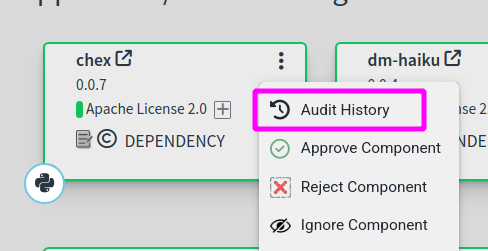
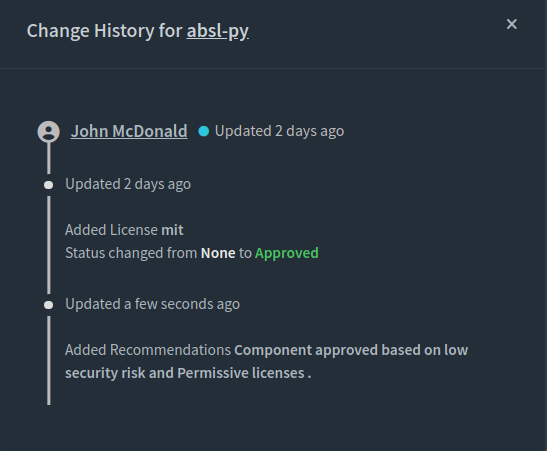
Audit history is helpful in determining the origin and timeline for changes made to artifacts. Changes to artifacts are automatically tracked by Threatrix platform and may be viewed by selecting Audit History from the 3 dot menu on the component card or menu.
Audit history tracks changes to artifacts including:
* User who made the change
* Change date
* Review status changes
* Developer actions or notes
* License rejections, additions or modifications
* Copyright additions or changes
* Custom component changes
* Auditor note additions or changes
* Change comments